 HANDE
Visible operating status
A light on the adapter shows that it is operating. A test recording establishes whether the microphone behavior you need has changed.
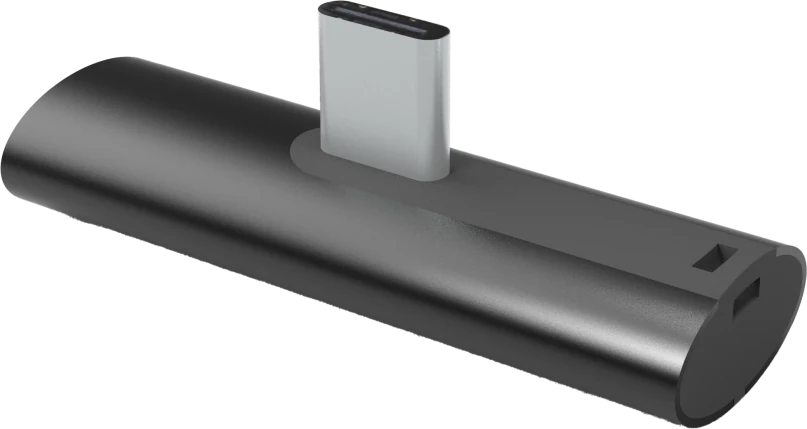
Mobile privacy
A plug-in adapter for compatible USB-C phones, designed to limit apps’ ability to capture nearby speech through the phone’s built-in microphone.
Use MuteLine on a phone you control during a confidential meeting, business negotiation or private conversation. The adapter has a status light and a pass-through port for charging while connected.
MuteLine presents itself as an external audio accessory. On compatible phones, this can change the audio input selected by the system and limit access to the built-in microphone, including unwanted ambient audio capture by apps running in the background. Audio routing depends on the phone, OS and app.
A light on the adapter shows that it is operating. A test recording establishes whether the microphone behavior you need has changed.
A dedicated USB-C input accepts a charging cable while the adapter remains connected to a compatible phone.
Reduce the chance that a managed phone captures a discussion about pricing, contracts or other sensitive information.
Use on compatible phones you are authorized to manage, as part of the meeting’s agreed device and recording policy.
Limit ambient microphone capture from your own phone without having to leave it behind or disconnect charging.
Insert MuteLine into the phone’s USB-C port. The indicator light shows that the accessory is operating.
Before relying on it, make a short test recording in a non-sensitive setting with the intended phone, operating system and app. Compare the result with and without the adapter.
Connect a compatible charging cable to the adapter’s USB-C input. Disconnect the adapter when you need to use the phone’s built-in microphone, and verify that your app has returned to its normal input.
Kit contents may vary by configuration.
No. The light indicates the accessory’s operating state. Confirm microphone behavior with each phone, OS version and app you plan to use.
Yes. Apps that use the microphone may receive a different audio input while the adapter is connected. Test before a call or disconnect it when you need the usual microphone input.
No. MuteLine addresses the audio input on the connected phone. It does not suppress recording by other phones, recorders or room systems, and it is not an antivirus product.
Consider MuteLine when limiting capture on a connected phone matters and the team needs pass-through charging. Compare SoundShield if you want to evaluate an acoustic alternative on the same phone.
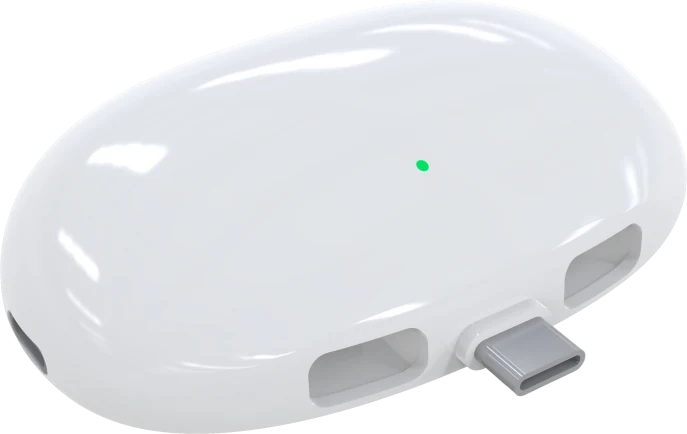
Mobile privacy
A USB-C accessory that uses acoustic interference to reduce the clarity of speech captured by a compatible phone’s microphone.